
Commands and mentions
The message box takes a few shortcuts. A / at the start opens a menu of commands, and an @ anywhere opens a menu of your integrations. Both narrow as you type: the arrow keys move, Tab or Enter chooses, and Esc closes the menu.
Built-in commands
Section titled “Built-in commands”These are Valet’s own. They run straight away, with no model and no tokens, and none of them changes what the assistant may do.
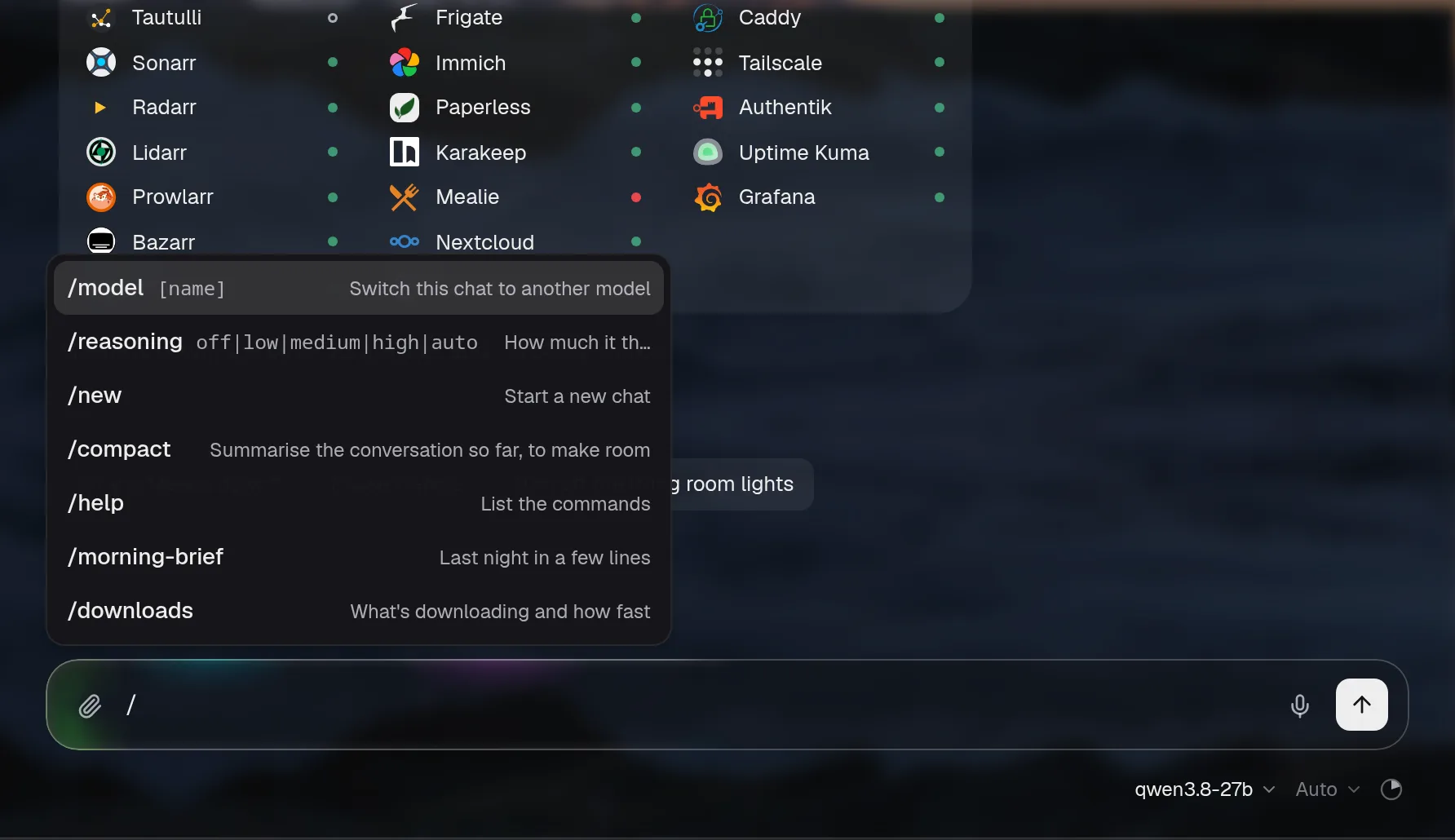
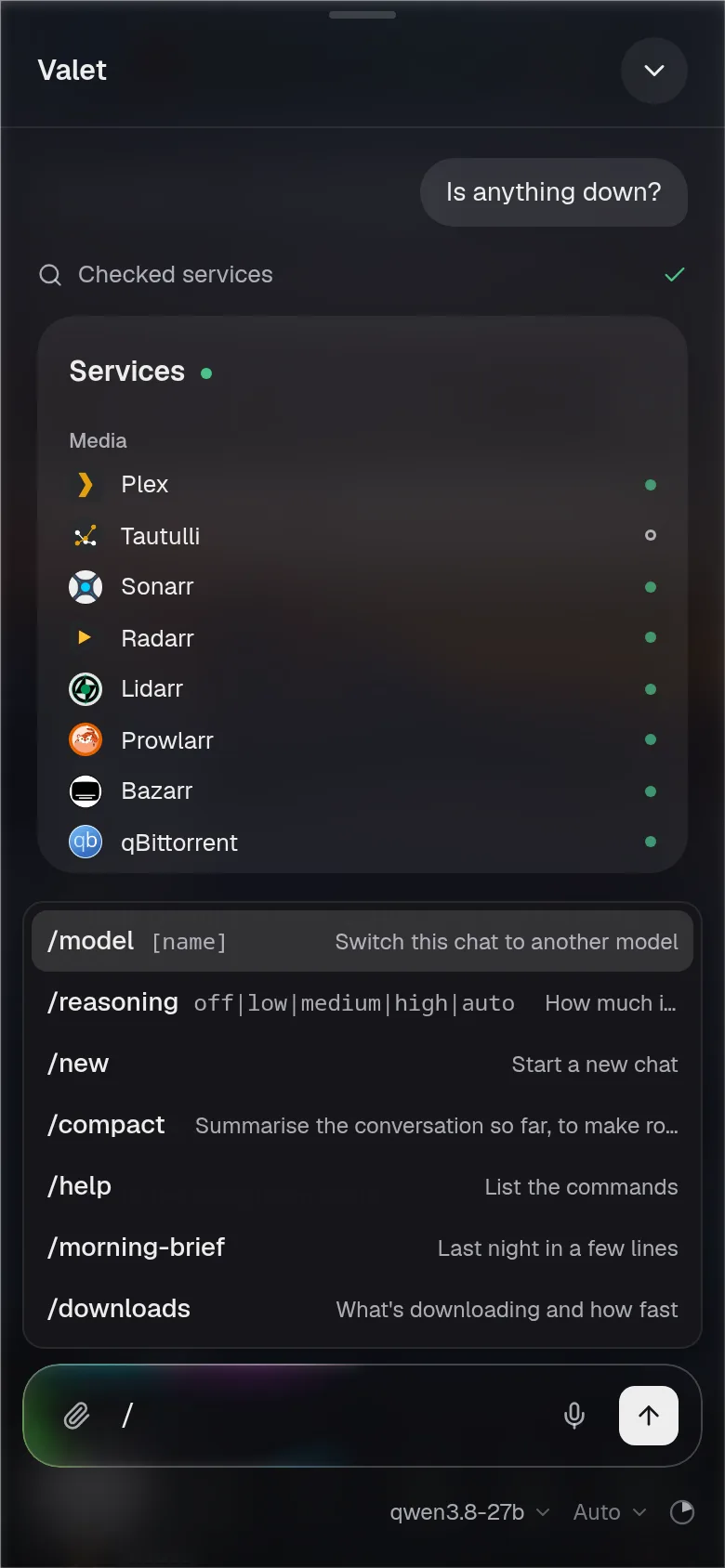
| Command | What it does |
|---|---|
/model [name] | Switches this chat to the model that best matches the name, from the same choices as the model picker. If nothing matches, it says so. On its own, it opens the picker |
/reasoning off|low|medium|high|auto | Sets how much the model thinks first, for this chat. On its own, it opens the menu |
/new | Starts a new chat. /clear does the same |
/compact | Summarises the conversation so far, now, with the same summariser Valet uses when a chat gets near the model’s limit. The chat keeps every message on screen and shows the quiet “Earlier messages summarised” line where it summarised; from then on, the model gets the summary in place of what came before |
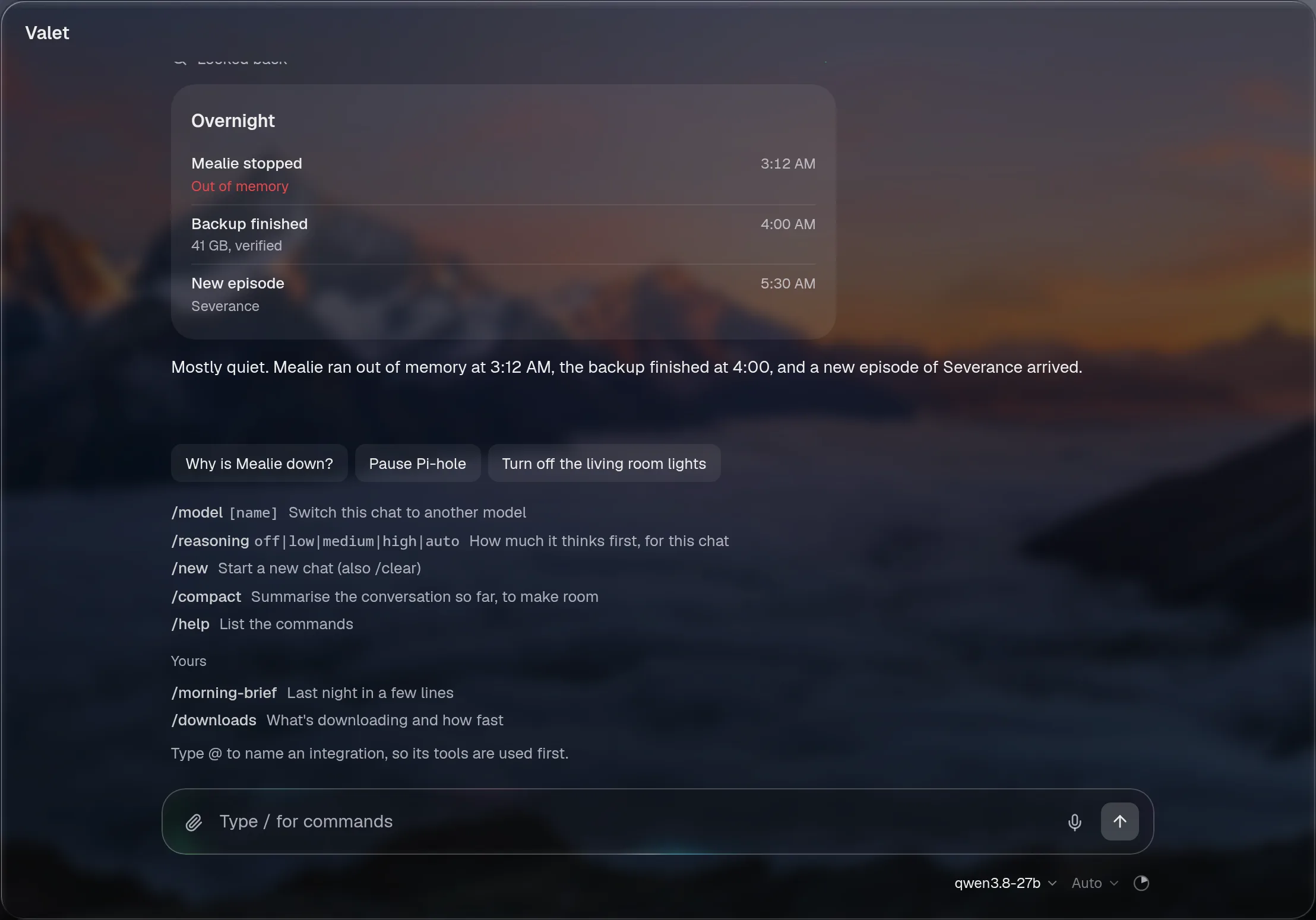
/help | Lists every command, built-in and your own, in the chat |
A line from one of these, like “This chat is on Deep now”, is Valet’s. The model never sees it.
Mentions
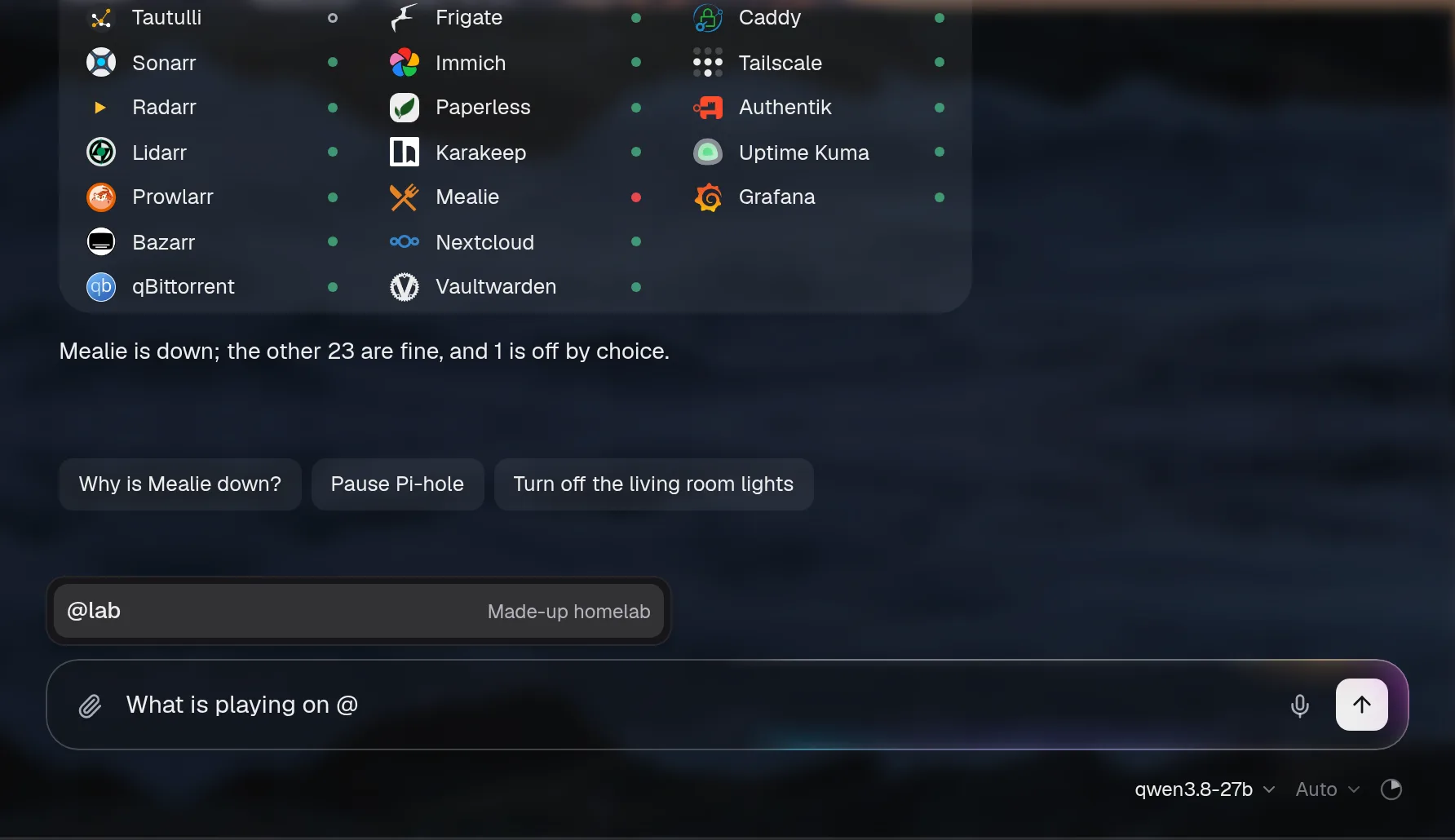
Section titled “Mentions”Type @ and pick an integration, or just type its id, like @plex. The mention shows as a token in your message, and the question goes to the model with that integration first:
- With
assistant.tools: lazy, its tools are loaded from the first step, so the model doesn’t spend a step asking for them. - With every tool sent (
all), the model is told what the question is about, so it reaches for those tools first.
The menu lists only the integrations the assistant may use on this page. The server checks every mention again and refuses one it doesn’t know or isn’t allowed to use. A mention never grants anything: what the assistant may do, and what it asks you about first, is still assistant.access.
An @ that isn’t an integration’s id, like an email address, is just words.
Your own commands
Section titled “Your own commands”Add commands of your own under chat.commands. Each one is a name and the prompt it sends:
chat: commands: morning-brief: description: Last night, today's calendar and Hacker News prompt: >- Give me my morning brief: what happened overnight (anything that went down, downloads that finished, new episodes), what's on my calendar today, and the Hacker News stories worth reading. Keep it short, problems first. watch: { prompt: "Add {input} to my watchlist and tell me when it's out", reasoning: low } lab: { prompt: "Full health check of the lab, worst problems first", model: Deep, reasoning: high } blocks: { prompt: "Who's blocking the most today?", tools: [dns] }Now /morning-brief asks for the brief, and /watch Dune asks “Add Dune to my watchlist and tell me when it’s out”. Your message shows what you typed, and the model reads the prompt.
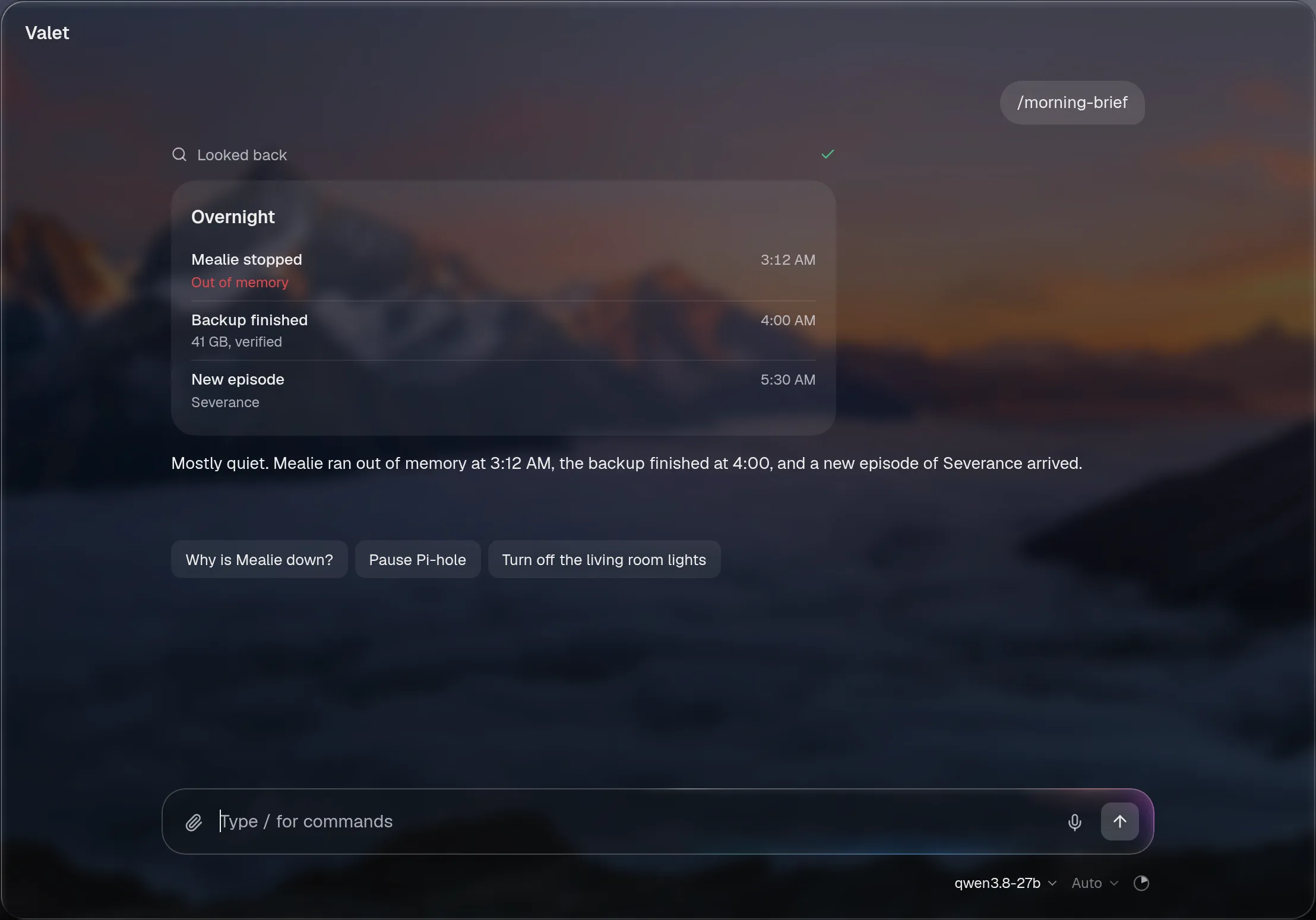
- A plain string is the prompt.
{input}is replaced with whatever you type after the command. Without{input}, anything you type after it goes on the end. descriptionis shown beside the command in the menu and in/help. Without one, the start of the prompt is.modelruns that question on one of yourassistant.models, by its name, andreasoningsets how much it thinks. Both apply to that question only; the chat stays on its own model.toolslists integration ids, with the same effect as mentioning them.
Names are lowercase letters, digits and dashes. They can’t be a built-in’s name. Your commands are also in ⌘K, where choosing one asks it right there.
A custom command is only a shortcut for typing. It goes through the normal chat with the same access and the same approvals as anything you type, so a command that changes something still asks first.
valet config check catches the usual mistakes: a name that isn’t allowed or clashes with a built-in, a model that isn’t one of your choices, and an integration in tools that doesn’t exist or that the assistant may not use.
Ask Valet to make one
Section titled “Ask Valet to make one”You can ask the assistant for a command: “make me a /morning-brief command that sums up last night, today’s calendar and Hacker News”. It’s a config edit like any other: it adds an entry under chat.commands, checks it, and shows you the change. Nothing is saved until you approve it, and asking it to “undo that” takes it back.