
Voice
With a voice block the chat gets a mic in its message box and a speaker under each answer. Valet uses the OpenAI audio API (/audio/transcriptions and /audio/speech), so it works with OpenAI itself or with any server that speaks the same API. Leave the block out and nothing changes.
Each half works alone: stt for the mic, tts for reading answers aloud.
With OpenAI
Section titled “With OpenAI”voice: stt: { baseURL: https://api.openai.com/v1, apiKey: "${OPENAI_API_KEY}", model: gpt-4o-mini-transcribe } tts: { model: gpt-4o-mini-tts, voice: alloy }tts has no address of its own here, so it uses stt’s, and the key with it. A key only ever goes to the address it was written for.
On your own network, with Speaches
Section titled “On your own network, with Speaches”Speaches is one container with faster-whisper for listening and Kokoro or Piper for speaking. It runs well on a CPU: on a desktop processor, five seconds of speech is written down in under a second, and two sentences are spoken in about one.
services: speaches: image: ghcr.io/speaches-ai/speaches:0.9.0-rc.3-cpu # pin the version you tested restart: unless-stopped environment: ENABLE_UI: "false" WHISPER__COMPUTE_TYPE: int8 volumes: - ./speaches:/home/ubuntu/.cache/huggingface/hub # models stay on disk mem_limit: 4gPut it on the same Compose network as Valet and leave its port unpublished. Download the models once (curl -X POST http://speaches:8000/v1/models/<id> from inside the network), then:
voice: stt: { baseURL: http://speaches:8000/v1, model: Systran/faster-distil-whisper-small.en, language: en } tts: { model: speaches-ai/Kokoro-82M-v1.0-ONNX, voice: af_heart }Using it
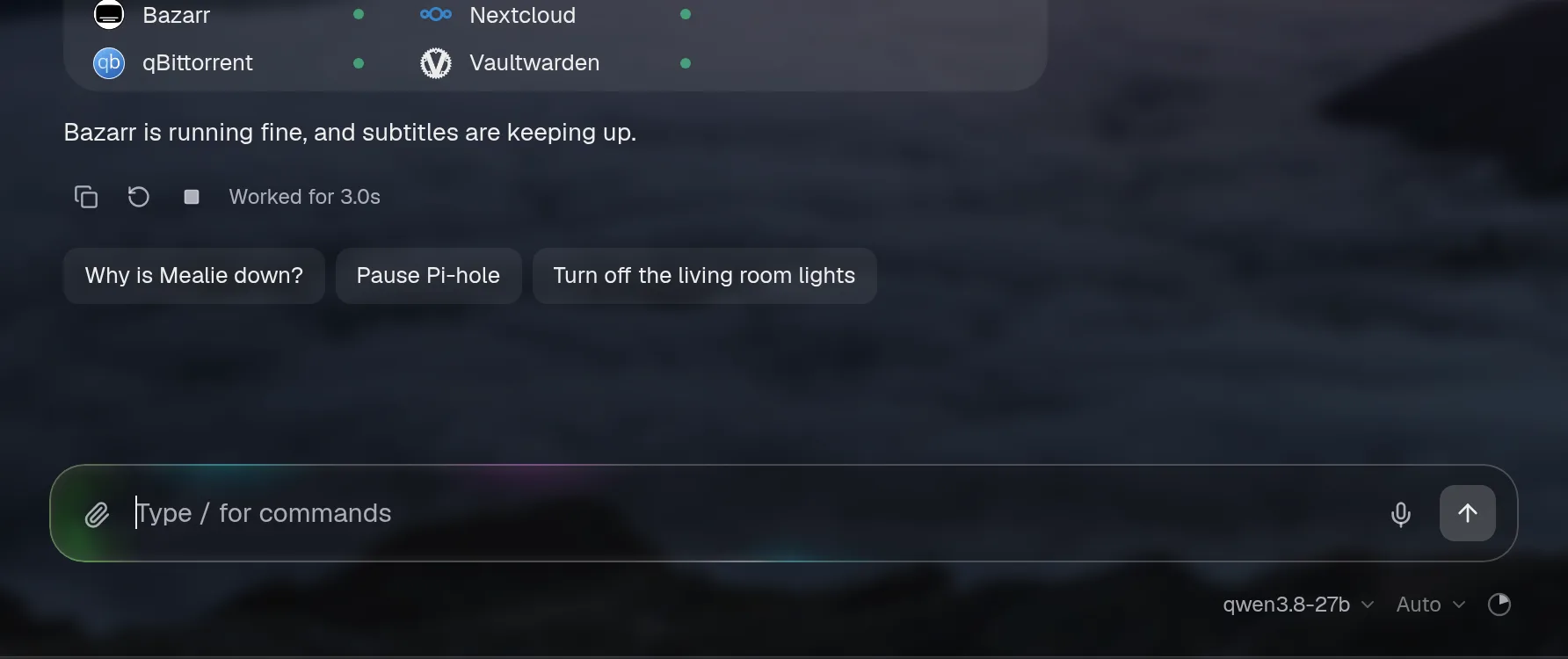
Section titled “Using it”- Speak. Tap the mic, talk, tap again. Or hold it down and let go when you’re done. A level and a timer show it’s listening, and the cross throws a recording away. The words go in the box so you can check them before sending.
autoSend: truesends them straight away. - Hear an answer. Press the speaker under an answer, beside copy, to have it read: its words without markdown, tables, code or cards, up to about 1,500 characters. While it talks the speaker is a square: press it to stop. Starting another answer, or asking something new, stops the one playing.
speakReplies: truereads each finished answer aloud without a press.

Safari records MP4 and Chrome and Firefox record WebM. Valet passes either on as it is. The mic needs a secure page (HTTPS, or localhost), and the browser asks for permission the first time.
Privacy and limits
Section titled “Privacy and limits”- The browser talks only to Valet. Valet calls the speech server, so its address and key stay on the server. Errors go through the redactor.
- With a local server, audio stays in your network. With OpenAI, what you say and the answers read aloud go to OpenAI.
- Nothing is kept. Recordings pass through memory to the speech server and are gone. The log notes sizes and timings, never words.
- Voice changes no permissions. A spoken question goes through the chat like a typed one, with the same access and approvals. An approval still takes a click.
- The same doors as the chat. Both routes need a session when sign-in is on. Wherever the chat works, voice does too. The demo has no server, so its mic only says where to set voice up, and its speaker plays answers recorded ahead (with Speaches and Kokoro’s
af_heart), or the browser’s own voice for one with live numbers in it. - Limits: a recording is at most two minutes (10 MB), and a reading at most 2,000 characters. Each person gets 20 recordings and 30 readings a minute.
Options
Section titled “Options”| Option | Default | What it does |
|---|---|---|
stt.baseURL | the other half’s, then the assistant’s | Where the speech-to-text server is. |
stt.apiKey | none | Use ${NAME}. |
stt.model | whisper-1 | |
stt.language | worked out by the server | A code like en. Setting it is faster and more accurate. |
tts.baseURL | the other half’s, then the assistant’s | Where the text-to-speech server is. |
tts.apiKey | none | |
tts.model | tts-1 | |
tts.voice | alloy | The server’s voice name, like af_heart for Kokoro. |
tts.speed | 1 | 0.25 to 4. |
speakReplies | false | Read each finished answer aloud without a press. |
autoSend | false | Send what was heard without waiting for you. |
config check names a missing address, a bad language code and a voice block without an assistant.